
What is the Soil Observation System?
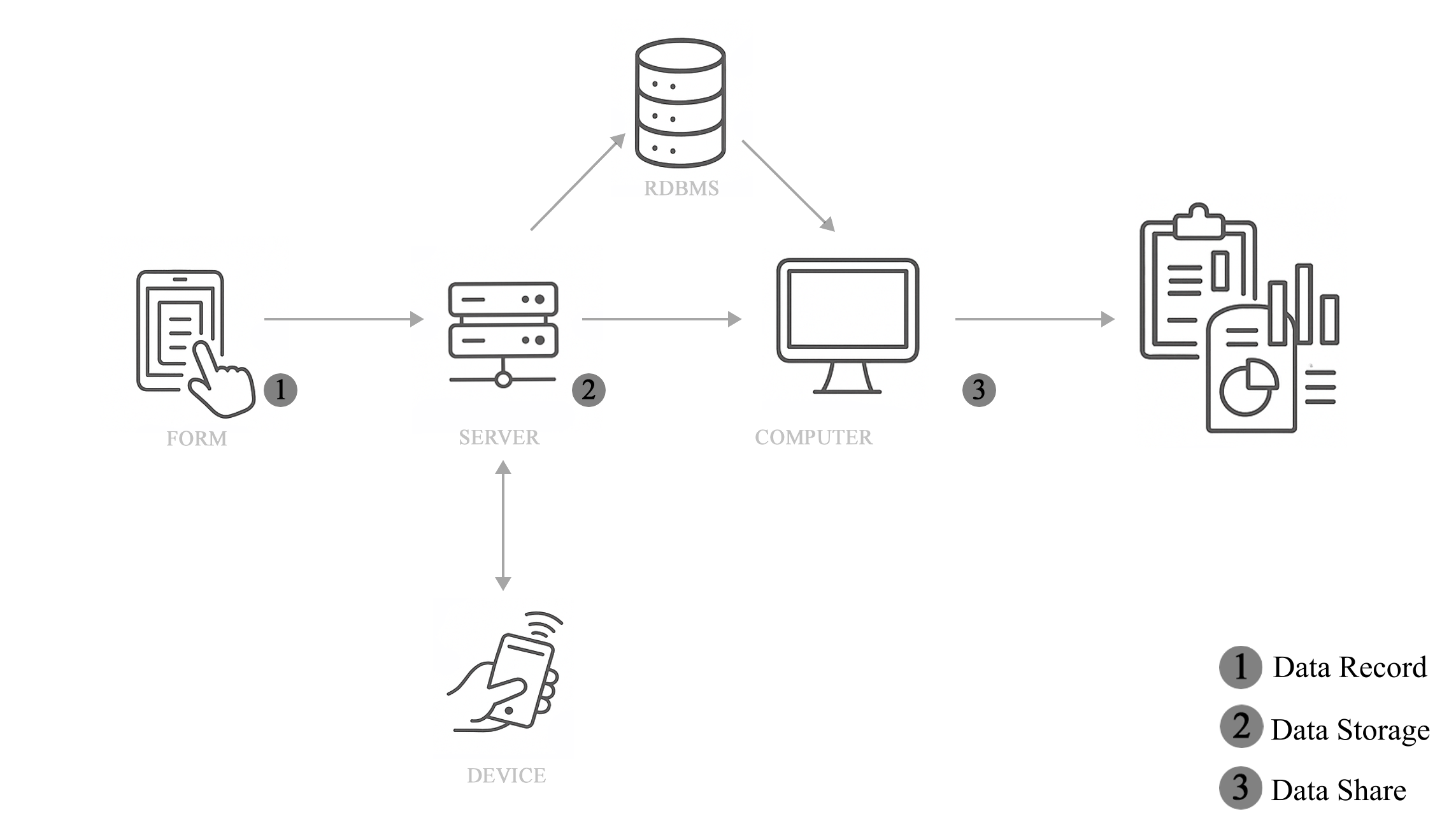
The SOS is a system that manages a data flow starting from field data collection and ending with the open sharing of the data. The full data flow consists of data collection (1), refinement and storage in a relational database (2), and finally the sharing and processing of the data (3) through tables and reports.
Field Form
Data is uploaded through the completion of a form provided by the SOS. The form is organized into sections, depending on the needs, and allows the following soil data collection actions:
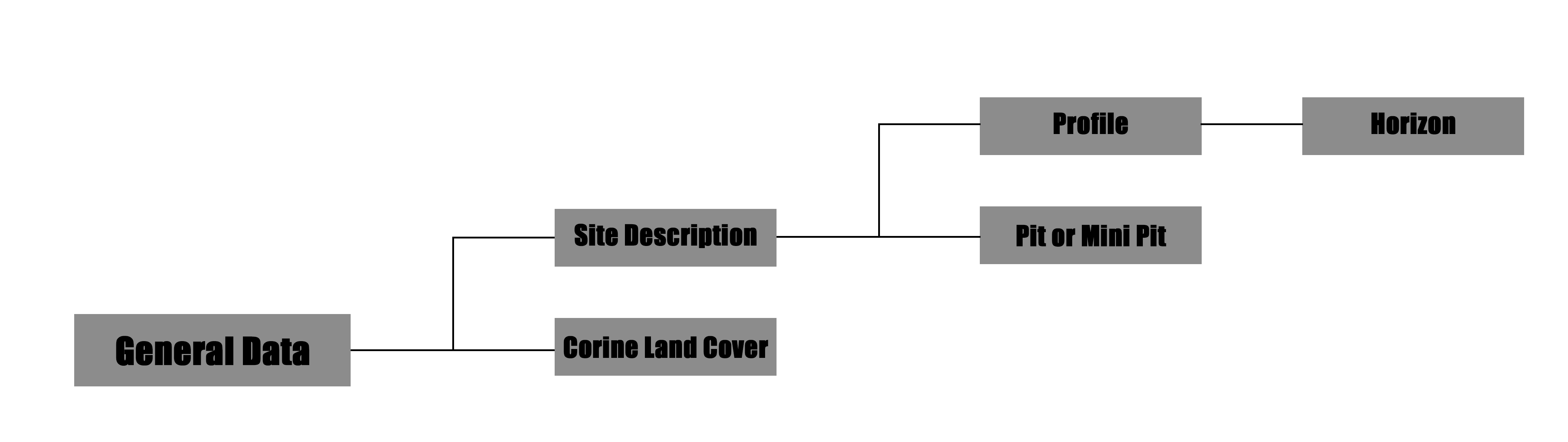
- Site description
- Profile
- Pit or Mini Pit
- Corine Land Cover (CLC) Detecting
All sections, except CLC Detecting, go through the Site Description section. This section is designed to contain information about the site where the data collection activities take place.
The Profile section manages all the data that can be collected for each soil horizon that makes up a specific diagnostic soil profile. The section consists of a series of questions covering most descriptive characteristics of a horizon and repeats them as needed.
The Pit or Mini Pit section allows the collection of data for one or more pits with a single submission. It is designed to allow the user to conduct multiple pits at the same site (one site description for multiple Mini Pits or Pits), and at different depths in the same point.
The CLC Detection section was created to allow users to integrate classification of soil cover for new areas or to correct existing ones. Users can go into the field and check whether the land cover classes provided by the Copernicus Project differ from actual conditions.
Laboratory Form
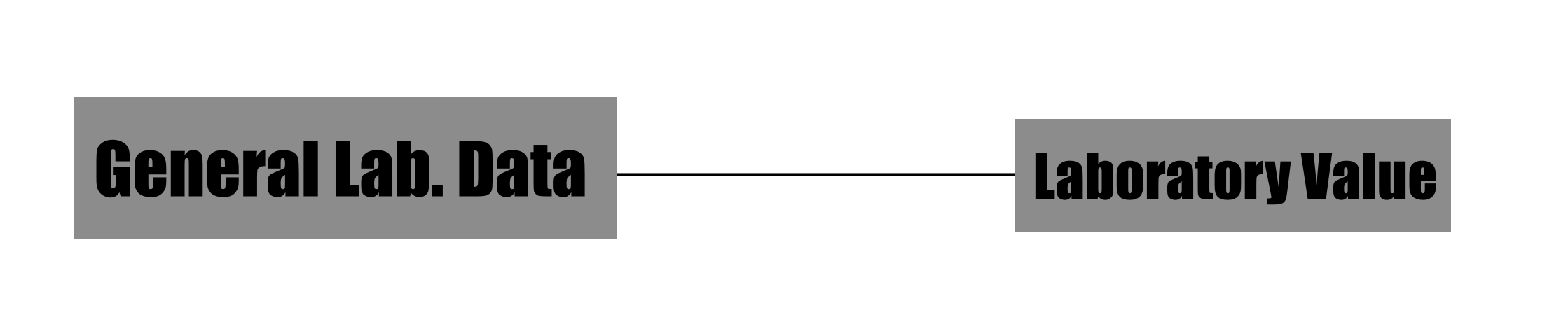
The laboratory data collection form consists of two separate sections.
- The first section allows you to record all the general information that identifies the origin of the samples collected and the institution/laboratory that performed the analyses.
- The second section of the form is used to record all data relating to the analyses and their results. There are three types of fields for each type of analysis in this section: one for the analysis result, one for the unit of measurement and one for the analysis technique.
Due to the variety of objectives pursued in soil analysis operations conducted in the laboratory, a final text field has been included in the form to allow entry of values and results not included in previous sections. Depending on the content of this field, changes and additions to the form may be considered to include new types of fields.
Form Access
The form can be accessed in two different ways. The recommended method is through the ODK Collect app, available only for Android. Once the app is installed on your mobile device, you can request a QR Code. By scanning the QR Code with ODK Collect, you can access the form directly through the app with a dedicated and functional interface.
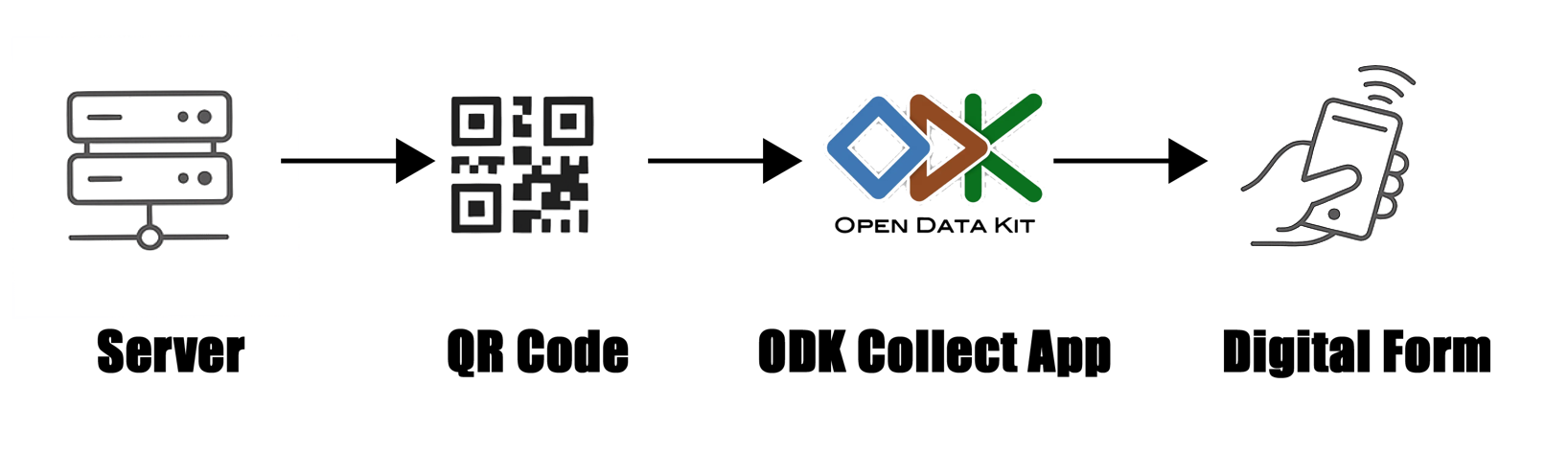
Access through the ODK Collect app is especially recommended for users collecting data directly in the field. However, if users need to upload data at a different time (e.g., for digitization purposes), it is also possible to access the form via a browser. Access is granted via a link that opens a web page where the form can be viewed and completed. In this situation, users should make their request for access to soilobservationsystem@gmail.com explicitly in the email.
For now, the access to data collection phase is not automatic and open. For this reason, to access the form you must contact us to the email soilobservationsystem@gmail.com. In this mail you can write the aims of the data collection operation that you want to do in field or in a laboratory. In the subject of the mail, you must insert “SOS FORM ACCESS” followed by the type of form you need: “FIELD” or “LABORATORY”. In the mail you must indicate also if you need the access by app or browser. We answer in a few days, giving you the access.
Storage
Once uploaded to the server, the data is refined and organized in a relational database. The database is structured into seven tables:
- General Data
- Site Description
- Horizon
- CLC
- Pit
- Lab General Data
- Lab Value
The General Data table allows users to navigate the database. Each row in this table corresponds to a form submitted to the system. From this table, users can understand what type of data has been uploaded and identify the ones that interest them or that they submitted themselves. Users can recognize their data either by using the ID chosen during collection or the one automatically generated by the system, which is always unique and allows linking the entry to the rest of the database. This ID is called the 'master key' in each table. You can access the data on the SOSDB page. On this page, you can view the data. To download the data, select the row in the second column and then click the Download button. To process the data and generate a report, select the row as you would to download it and then click the 'Report' button. This feature is only available for profile data.
Contact US
If you are interested in collaborating with us or would like to make any comments, suggestions or criticisms, please do not hesitate to contact us. We are always looking to improve the system. It was originally created as a research project, which is why its structure is open and accessible, and subject to potential changes. Any changes must comply with the project's objectives. If you wish to contact us, please send an email to:
soilobservationsystem@gmail.com.
In this case, we recommend using a subject line such as 'INFO'.
Technologies and Tools Used
The Soil Observation System (SOS) project was developed entirely using free and open-source software, in accordance with best practices for interoperability, transparency, and reusability. Below is the complete list of technologies:
Backend and Data Collection
- ODK Central
A platform for collecting field data through digital forms, deployed on a Linux server. (https://getodk.org/)
- PostgreSQL
A relational database management system (RDBMS) used to store raw data collected via ODK. (https://www.postgresql.org/)
- Docker
Used to orchestrate containers, including ODK Central and PostgreSQL, in isolated and reproducible environments. (https://www.docker.com/)
- XML + XPath
Languages used to parse and transform form data stored in XML format within ODK Central.
Integration and Automation
- Bash
Used to automate data extraction and transfer between databases, and to generate views and tables. (https://www.gnu.org/software/bash/)
- Java (JDK + JDBC)
Used to develop a containerized application that automates the import of data from the ODK Central server to the user-facing database. (https://openjdk.org/)
Intermediate Database and Interface
- PostgreSQL
A secondary database optimized for user queries and visualization, including simplified views, relational keys, and refined data types.
Data Analysis
- R + Rstudio
A statistical computing environment used for data analysis, quality control, and report generation. (https://www.r-project.org/-https://www.rstudio.com/)
- ruODK
An R package for interacting with ODK Central via its RESTful API. (https://docs.ropensci.org/ruODK/)
Frontend and Web Interface
- Express.js + Node.js
Framework used to build the dynamic web interface for viewing and exporting project data. (https://expressjs.com/-https://nodejs.org/)
- Tailwind CSS
A utility-first CSS framework used to design a lightweight and highly customizable frontend. (https://tailwindcss.com/)